Posts
Efficiently Streaming and Zipping Multiple Files from S3 using fs2
Posted on September 8, 2024 • 3 min read • 620 words

By Irodotos Apostolou (Software Engineer)
Setting the scene
When working with large-scale report generation, where clients need to download hundreds of reports at once, performance and memory usage become critical factors. In one of our recent projects, we faced the challenge of allowing clients to download up to 500 reports at once. Instead of generating and serving these files directly, which could cause high memory consumption, we implemented a streaming solution in Scala using fs2.
This post will highlight how we leveraged fs2 streams to zip files from AWS S3, keeping memory usage minimal throughout the process.
The Problem
Since the number of files and their individual size varies, we need to safeguard our downloading process from excessive memory usage
The Architecture

In order to optimise our zip construction, we segregated the original content from the optimised file format we use in the downloading process.
This also gives us the flexibility to evolve the two processes independently (reading and writing) for later changes in requirements or optimisations, since the generated format is loosely coupled with the downloadable format.
Implementation
Using fs2, we were able to stream each file from s3, add it to the zip being downloaded by the client with a small memory footprint
- We need to convert and tranfer the original data in the reading side s3 bucket.
def transfer(from: NonEmptyString, to: NonEmptyString, fileIdentifier: NonEmptyString): fs2.Stream[IO, ETag] =
    withS3(s3AsyncClient).flatMap { s3 =>
      val body = s3.readFile(BucketName(from), FileKey(fileIdentifier))
      body.through(deflateStream)
        .through(s3.uploadFile(BucketName(to), FileKey(fileIdentifier)))
}- Stream files directly from S3 into the downloadable “zip file”. By using fs2-aws , we created a function to fetch the file contents as a stream.
def retrieveMultiple(compressedBucket: NonEmptyString, fileKeys: List[NonEmptyString], streamSize: Int): fs2.Stream[IO, Byte] =
    withS3(s3AsyncClient).flatMap { s3 =>
      fs2.Stream.emits(fileKeys).map { fileKey =>
        val body = s3.readFile(BucketName(compressedBucket), FileKey(fileKey))

        FileArchive(fileKey.value, body)
      }.through(zipPipe(streamSize))
}- The downloadable “zip file” is delivered as an
fs2.Stream[IO, Byte]which wraps a ZipOutputStream
def zipPipe(chunkSize: Int): Pipe[IO, FileArchive, Byte] = { fileArchives: fs2.Stream[IO, FileArchive] =>
    fs2.io.readOutputStream[IO](chunkSize) {
      outputStream =>
        Resource.fromAutoCloseable(IO.delay(new ZipOutputStream(outputStream))).use { zipOut =>
          val writeOutput = fs2.io.writeOutputStream[IO](IO(zipOut), closeAfterUse = false)
          fileArchives.evalMap { archive: FileArchive =>
            IO.delay(zipOut.putNextEntry(archive.asZipEntry)) >>
              archive.inflatedData.through(writeOutput).compile.drain >>
              IO.delay(zipOut.closeEntry())
          }.compile.drain
        }
    }
  }
Evaluation
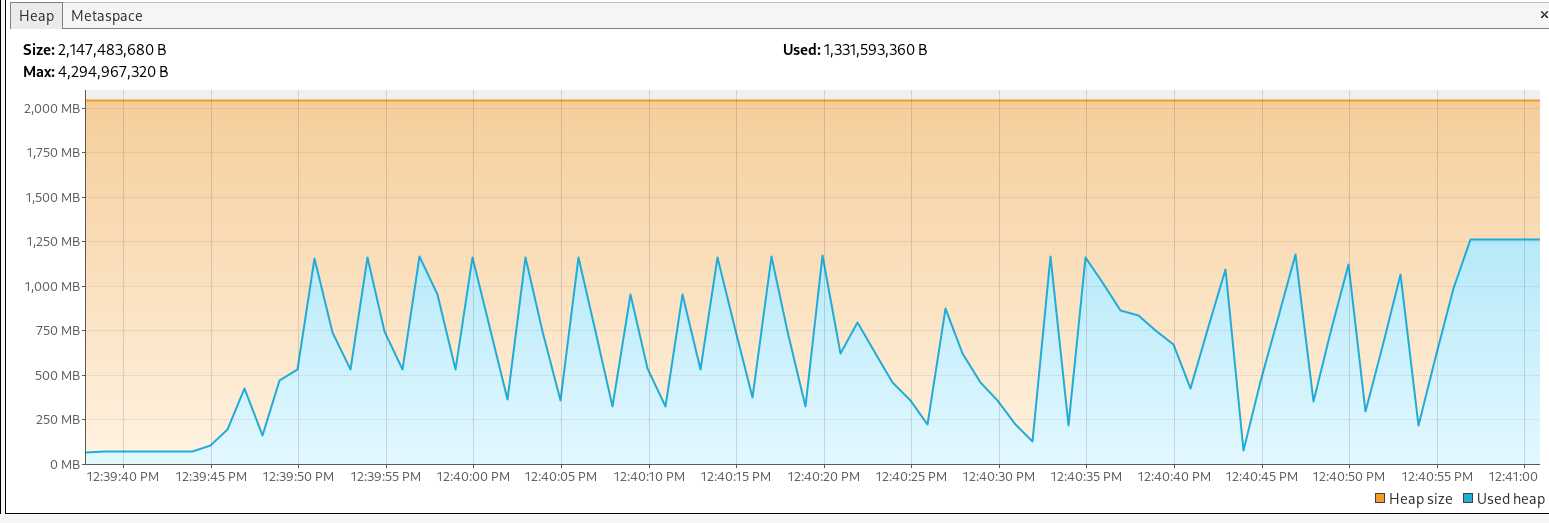
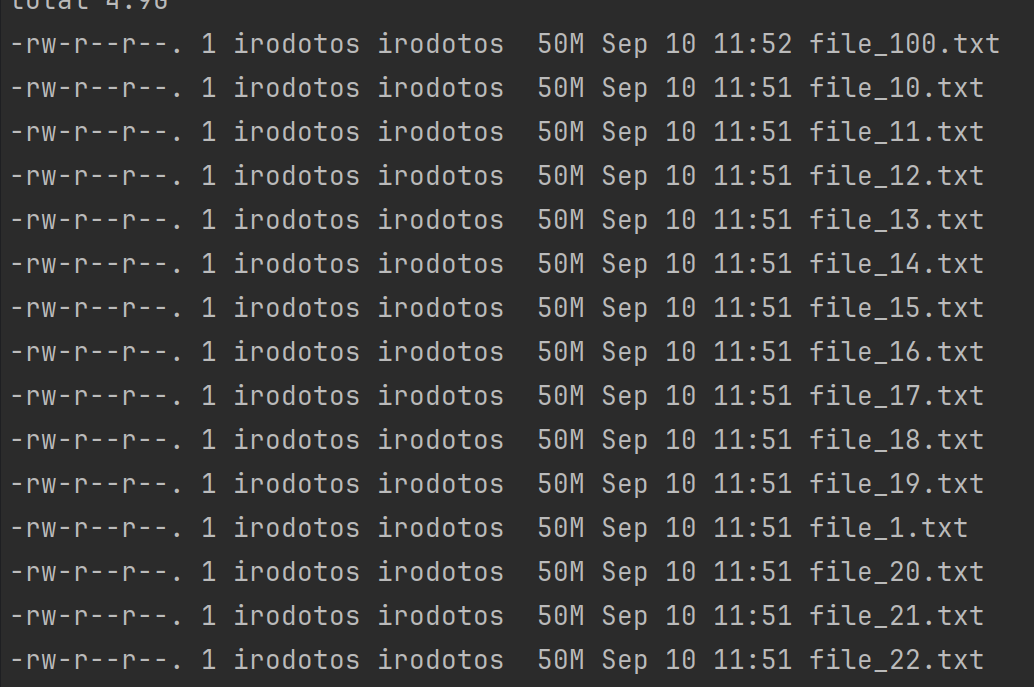
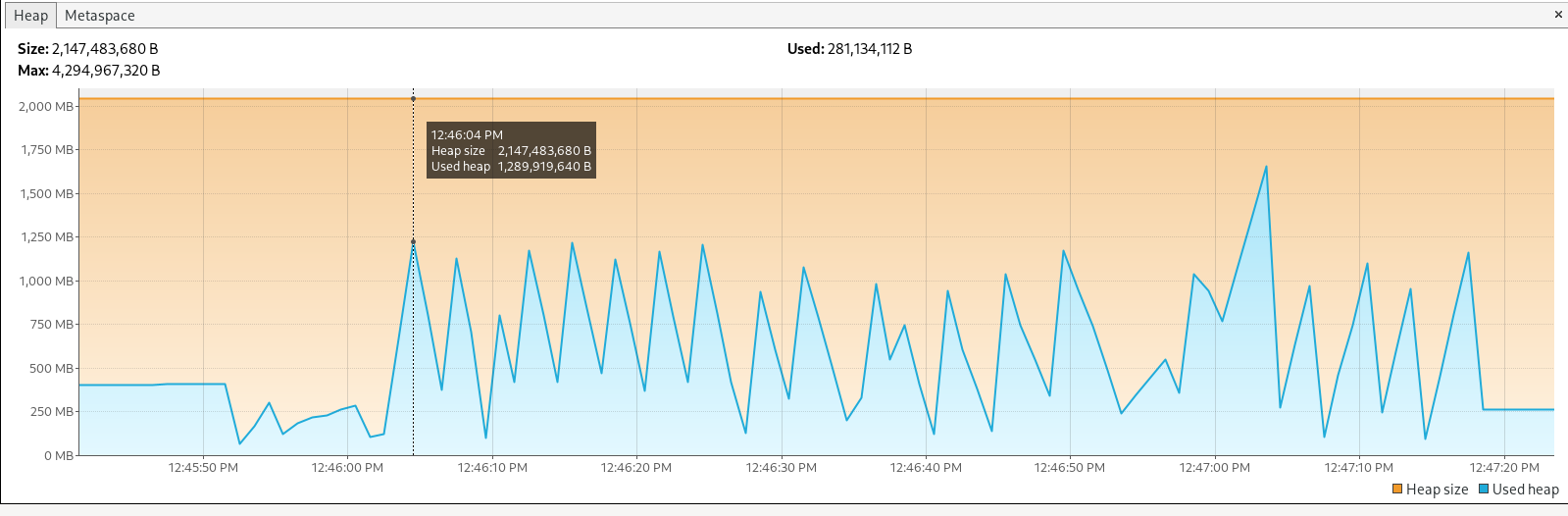
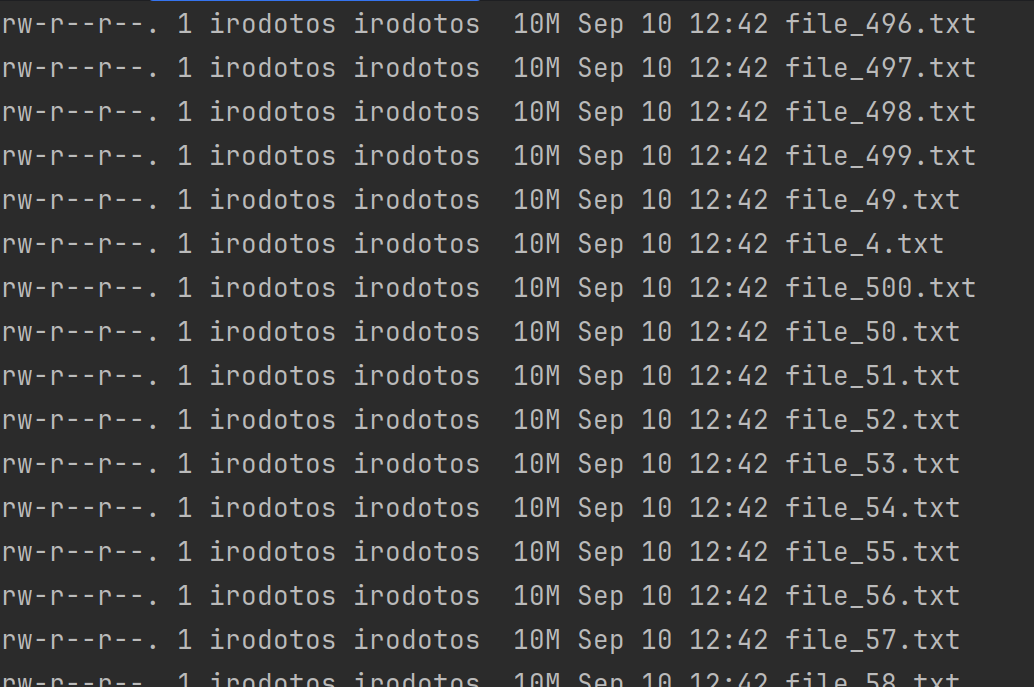
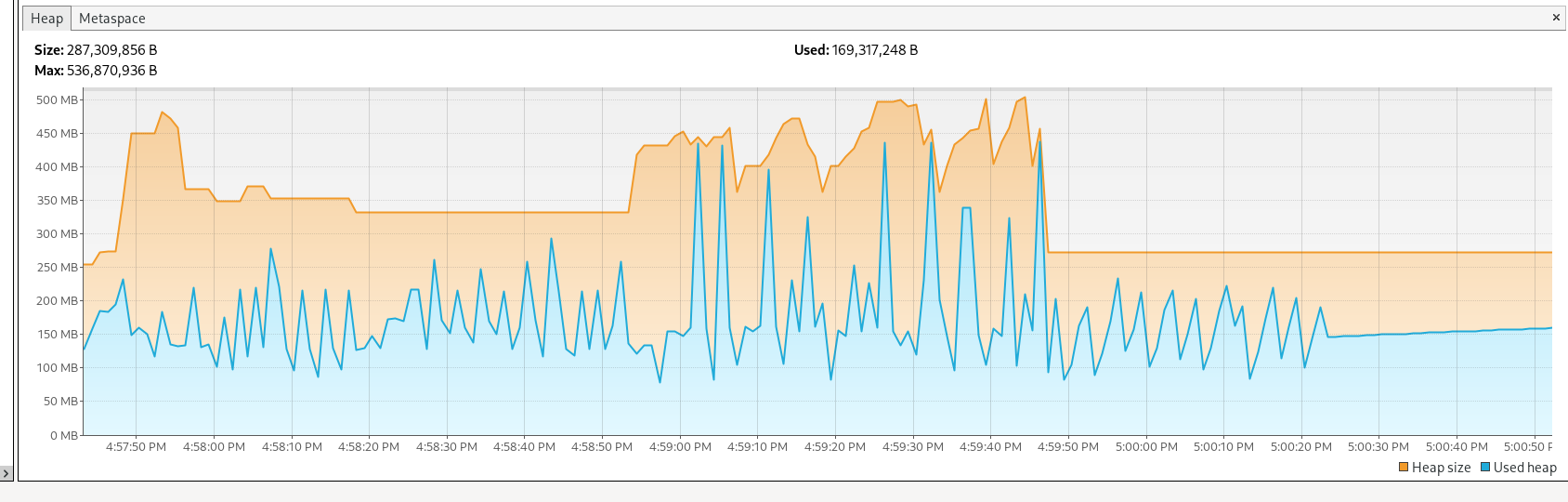
We checked memory usage using VisualVM , with different test scenarios and configurations
- 100 files with a size of 50MB each
- 500 files with a size of 10MB each
- 1000 files with a size of 10MB each
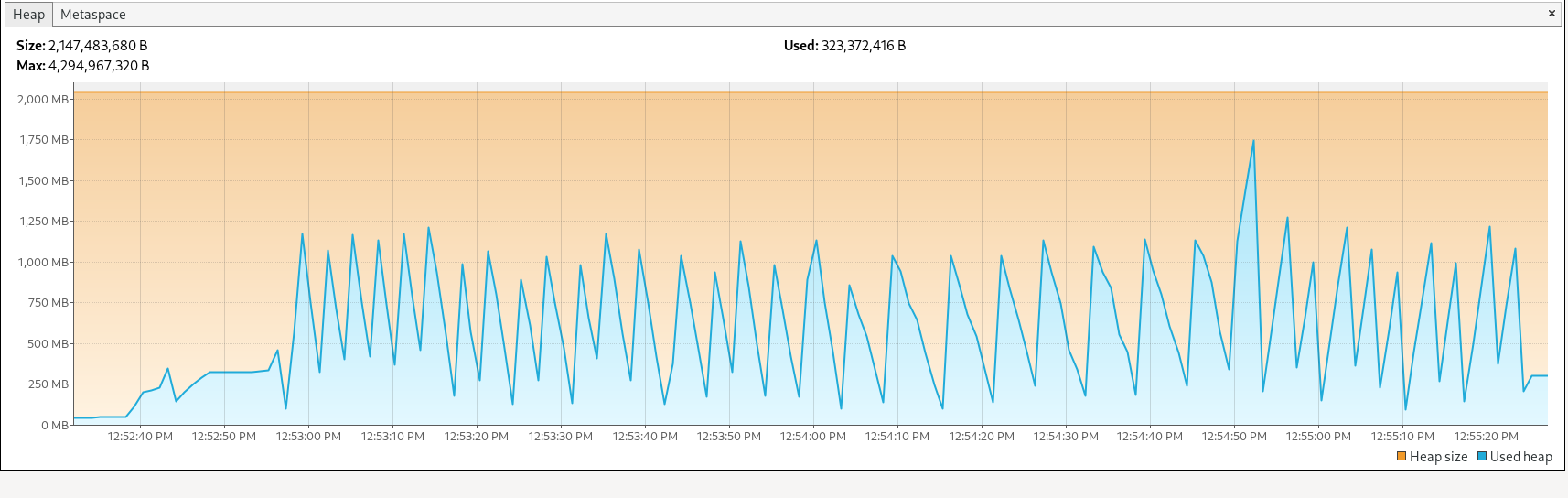
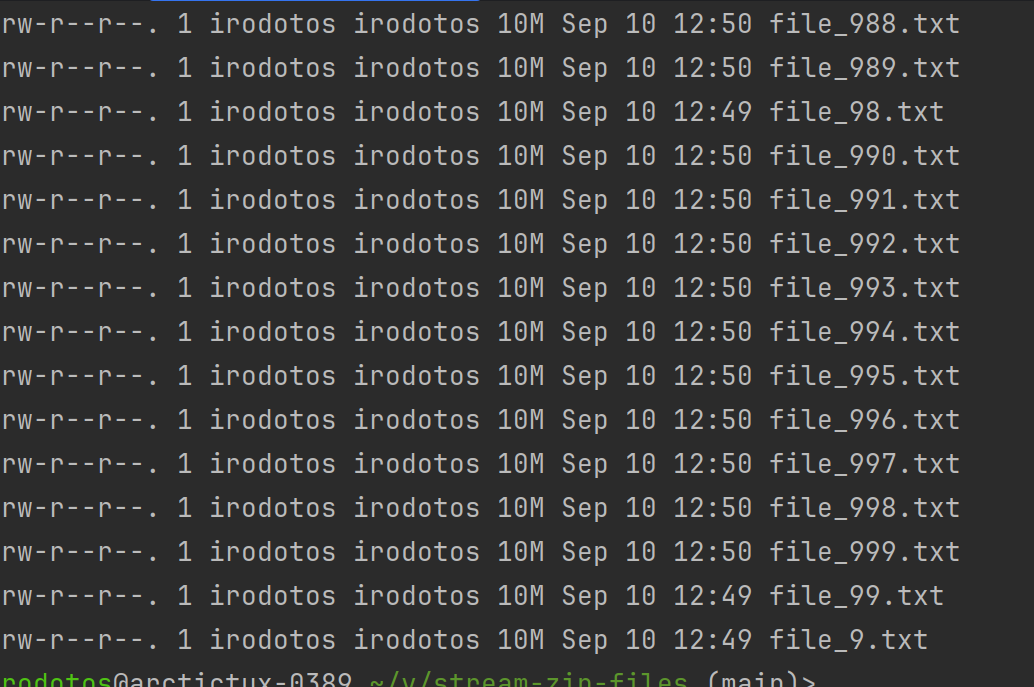
- 1000 files wth a size of 10MB each but now my JVM heap size is smaller
Key Takeaways
- fs2 enables us to work with large amounts of data in a memory-efficient way.
- By streaming files directly from S3 and zipping them on the fly, we can avoid memory overload.
- This approach scales well, allowing clients to download a large number of files (hundreds or more) with minimal overhead.
- The CQRS inspired architecture, allows us to be flexible for future requirement changes or optimisations
Conclusion
By leveraging fs2 for streaming and zipping files from S3, we created a solution that’s not only efficient but scalable. We were able to meet the challenge of providing clients with hundreds of reports in a single download without overwhelming our memory resources. Streaming files directly from S3, zipping them on the fly, and serving the final zip package ensures that our system can handle high volumes of data with ease.
If you’re dealing with similar challenges around large file downloads or need to optimize how you handle large datasets, consider giving fs2 a try! With its powerful streaming capabilities, you can keep things efficient and scalable, no matter the size of the workload.
Feel free to check out our implementation on GitHub, and let us know what you think!
GitHub